Appointment Booking System Live Demo
Experience our PHP appointment booking system with live demo access. Test the customer booking flow and explore the complete admin panel.
No signup required • Safe demo environment • Test data only
Demo Access
Try both the customer booking interface and the complete admin dashboard
Customer / Frontend Demo
Experience the appointment booking flow from a customer's perspective
- Browse available services
- Select appointment date and time
- Test booking form
- Try payment checkout (sandbox)
- View booking confirmation
- Download booking ticket
No login required for customer demo
Admin Panel Demo
Explore the complete admin dashboard with full management features
- View bookings dashboard
- Manage services and pricing
- Configure working hours
- Set holidays and closures
- View analytics reports
- Customize email templates
Login credentials are autofilled - just click login
What You Can Test in This Appointment Booking Demo
Explore all the key features of our PHP appointment booking system
Booking Flow
Complete appointment booking process from service selection to confirmation
Scheduling System
Working hours, time slots, capacity management, and availability logic
Admin Dashboard
Overview statistics, recent bookings, and quick action buttons
Analytics Reports
Revenue summaries, service popularity, peak hours, and customer insights
Payment Checkout
Stripe and PayPal sandbox payment processing (test mode only)
Email Templates
WYSIWYG editor for customizing booking confirmation notifications
Calendar Export
Download booking as ICS file for Google Calendar, Outlook, Apple Calendar
Service Management
Create, edit, and organize appointment services with pricing and duration
Holiday Management
Set business closures and manage recurring holidays
Screenshots Preview
Visual walkthrough of the appointment booking system demo interface
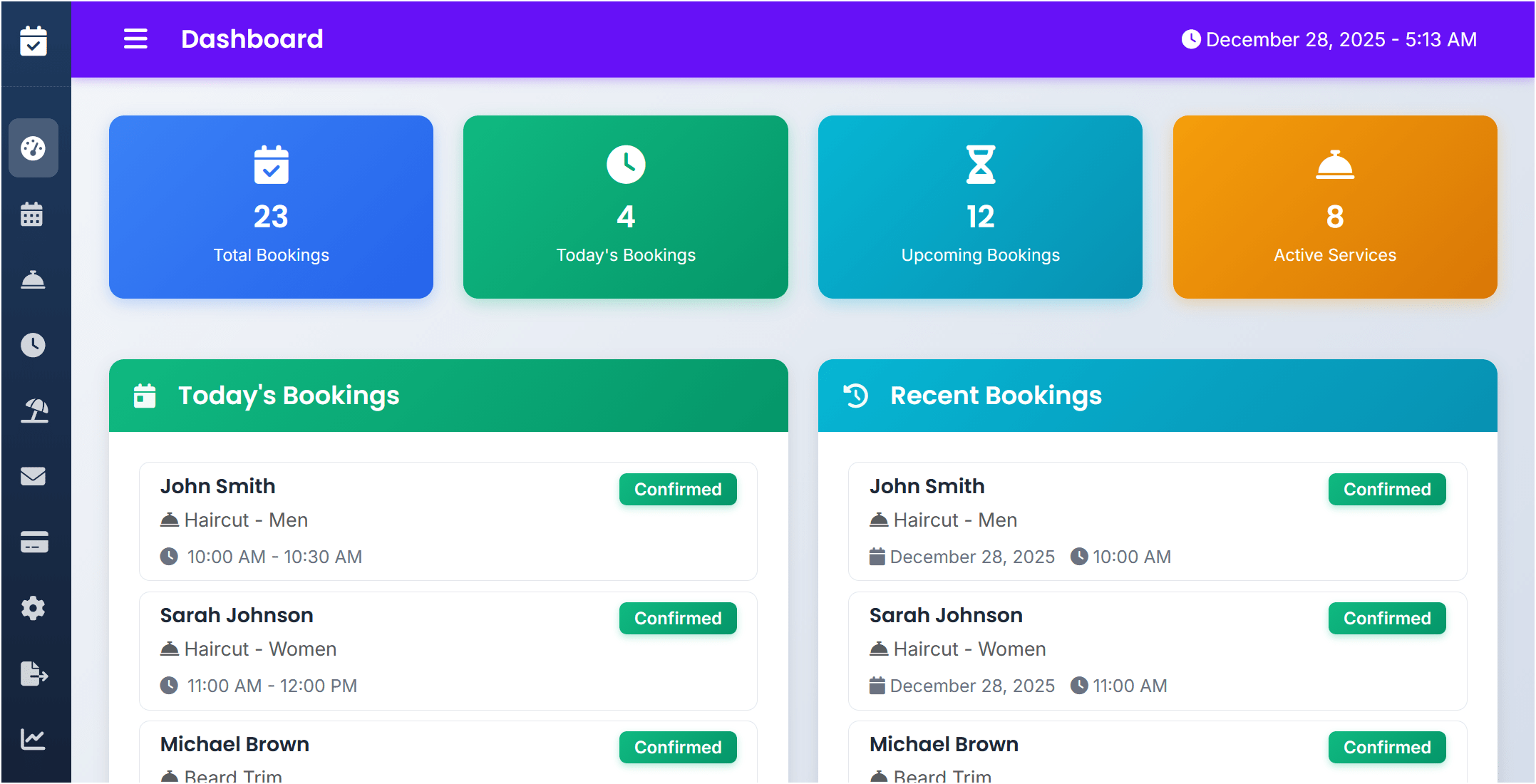
1 of 15 - Admin Dashboard
Admin dashboard showing total bookings, today's bookings, upcoming bookings, and recent bookings overview.
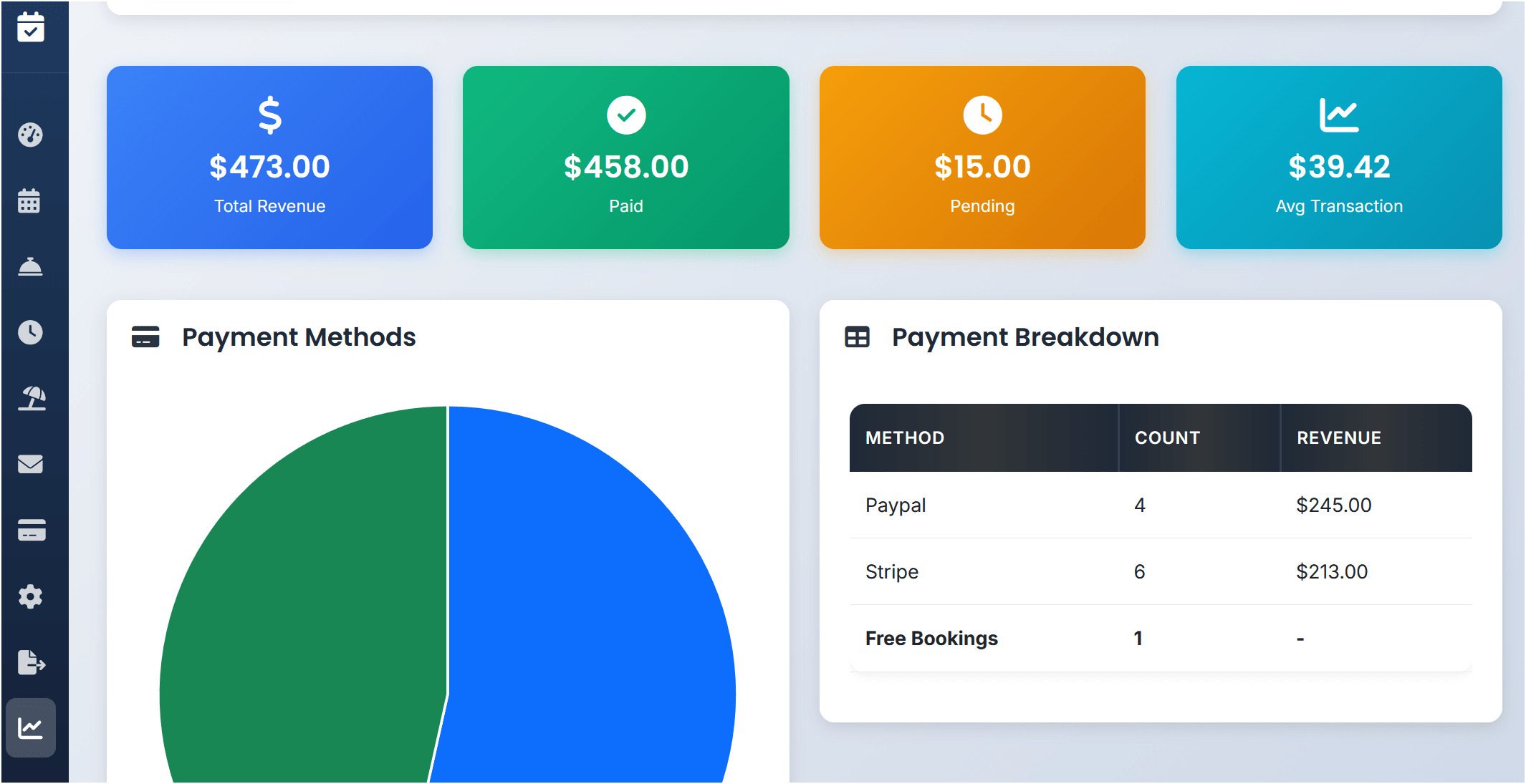
2 of 15 - Revenue Summary Report
Revenue summary report with total revenue, payment methods breakdown (Stripe and PayPal), and interactive charts.
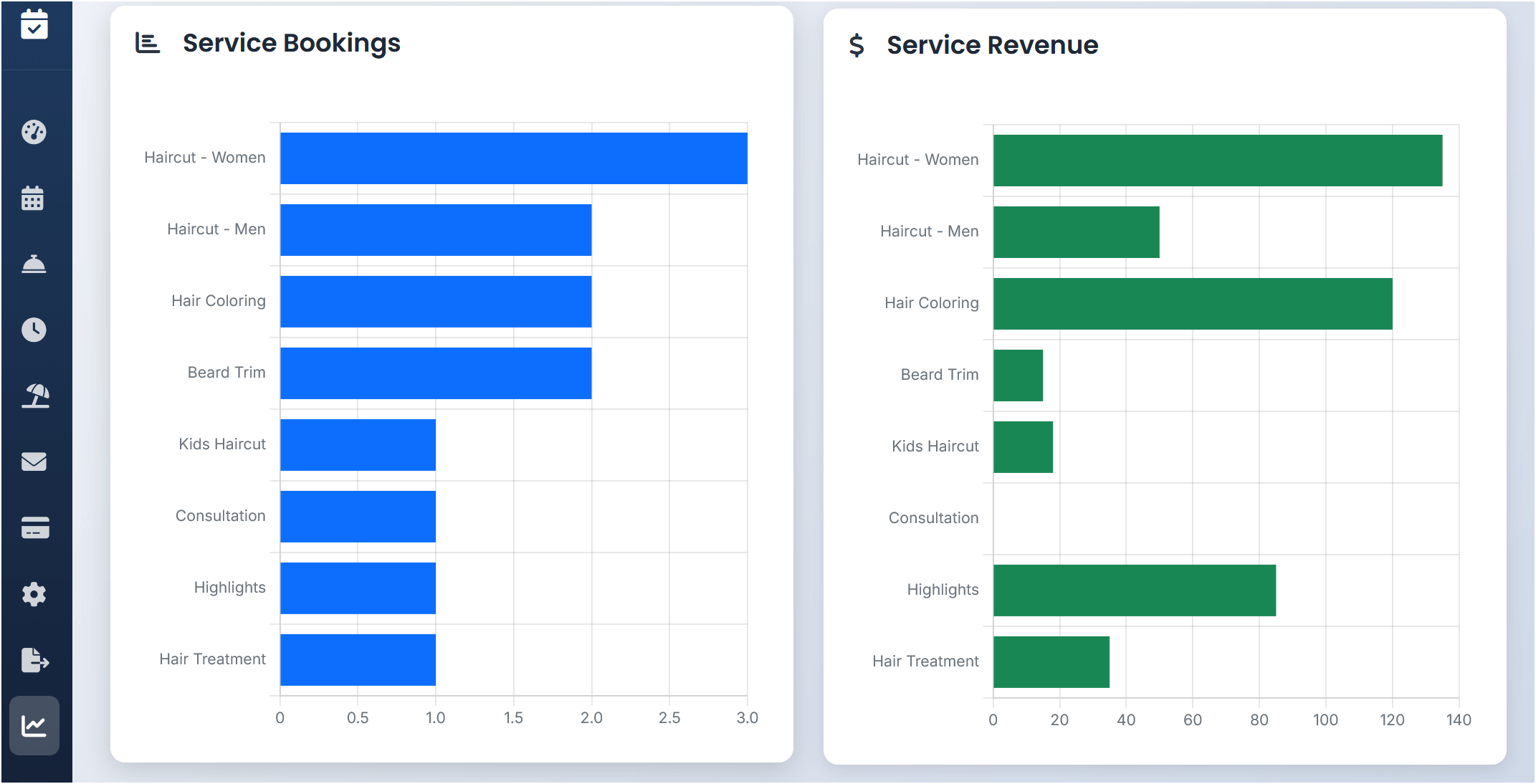
3 of 15 - Service Popularity Report
Service popularity report displaying most booked services, total bookings per service, and revenue generated by each service.
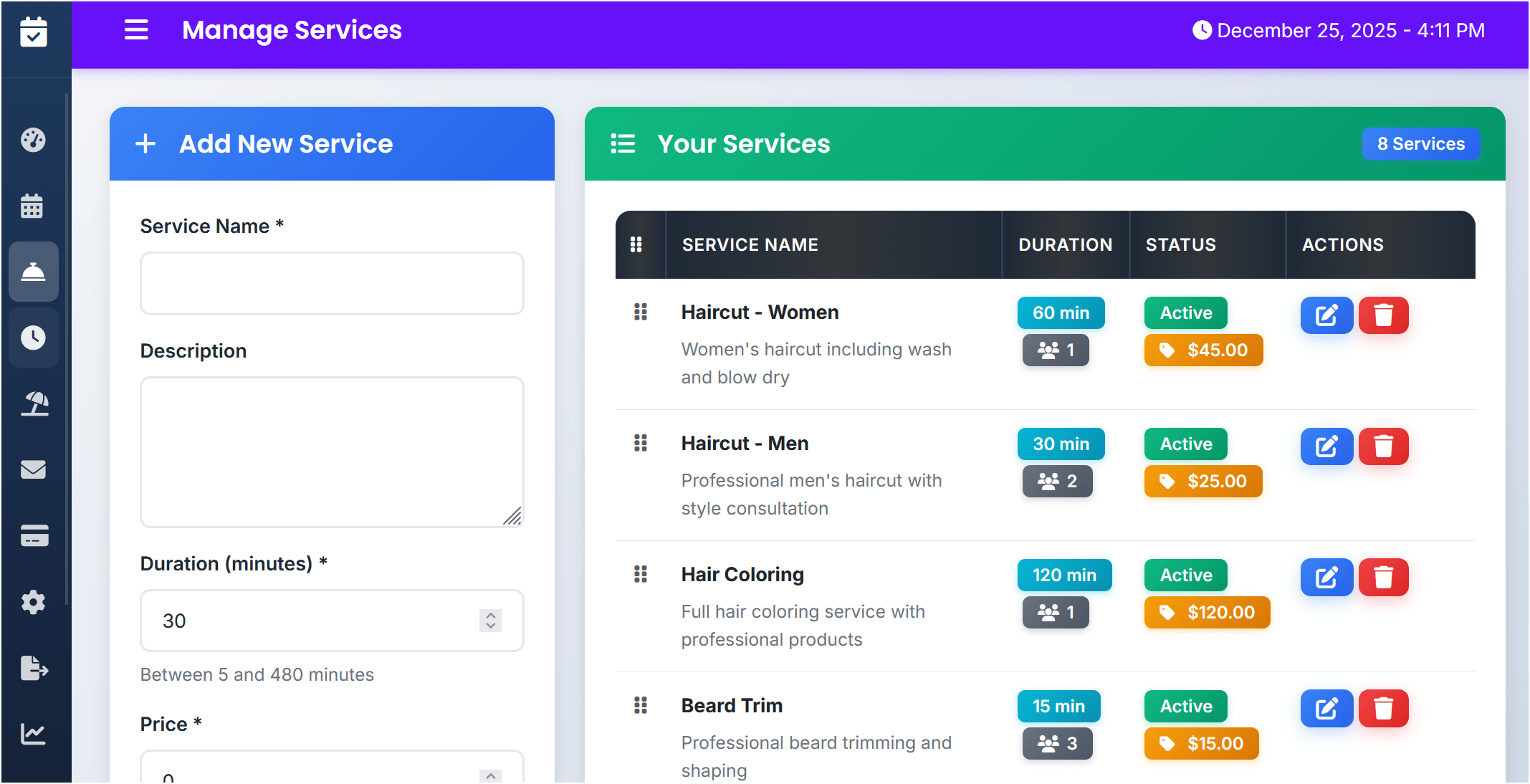
4 of 15 - Manage Services
Manage services page allowing creation, editing, and organizing of appointment services with pricing, duration, and capacity settings.
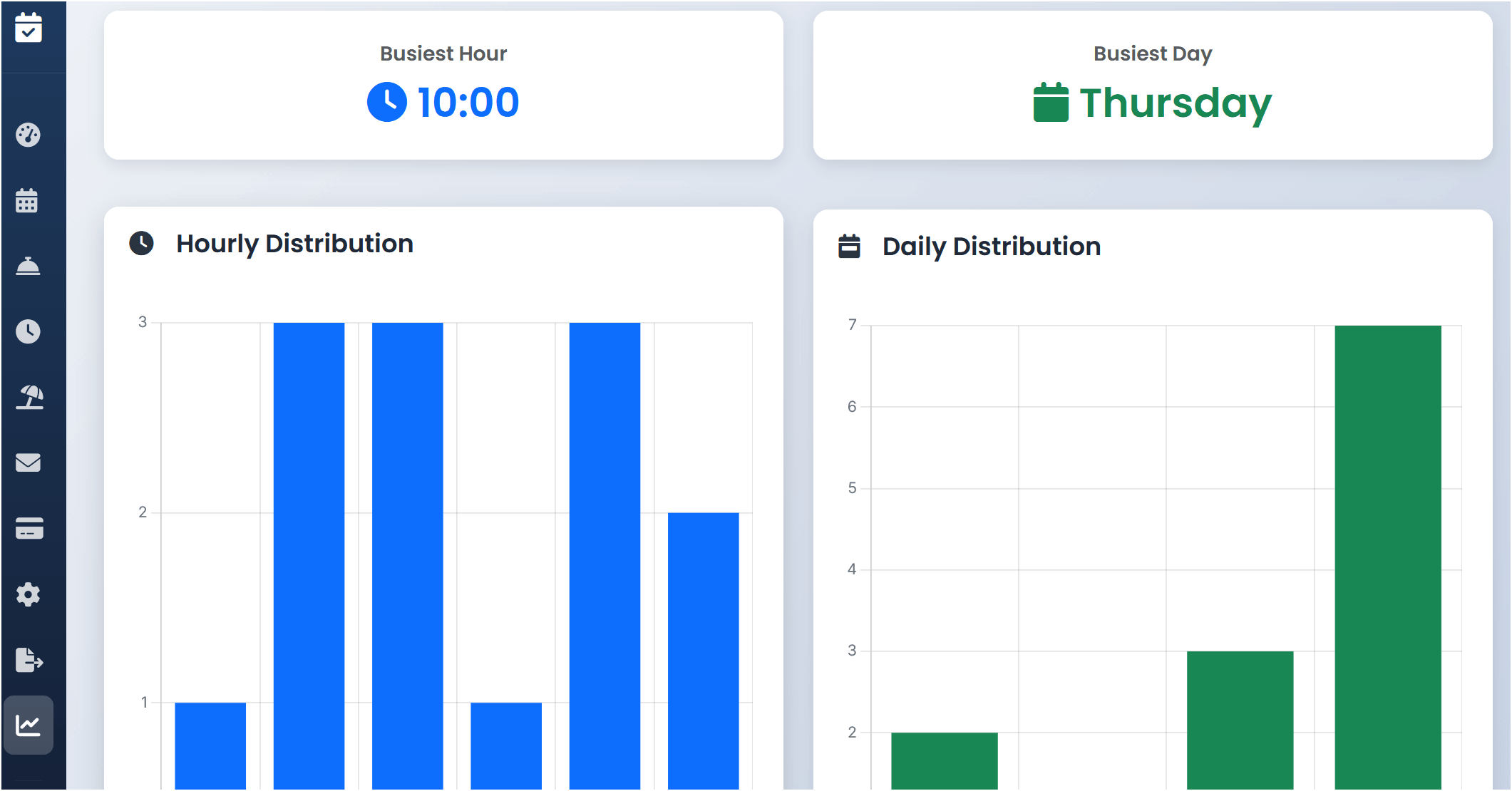
5 of 15 - Peak Hour Analysis Report
Peak hour analysis report showing busiest days of the week and time slots with booking distribution charts.
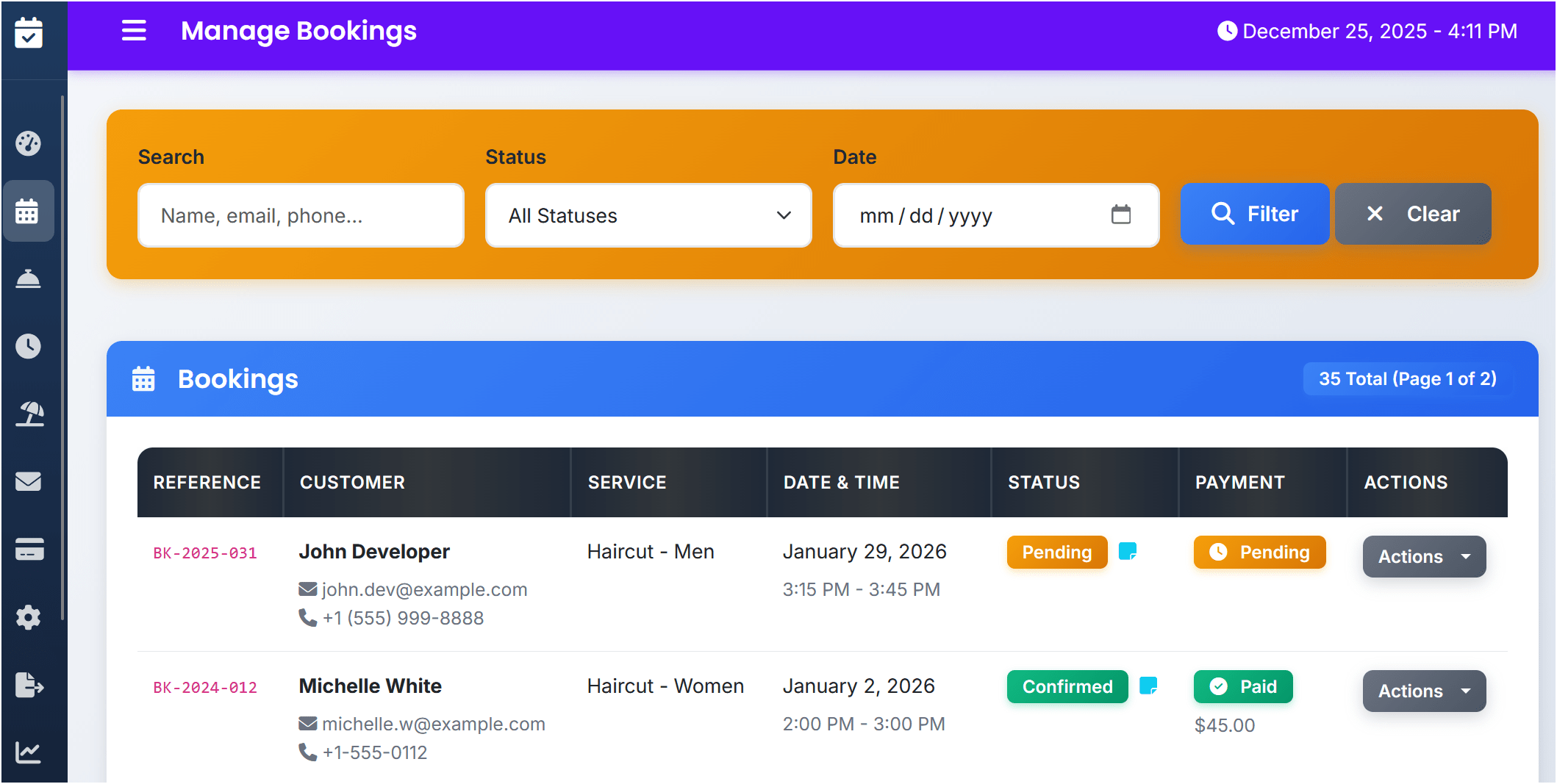
6 of 15 - Bookings Management
Bookings management page with filter options, search functionality, and ability to view, confirm, cancel, or complete appointments.
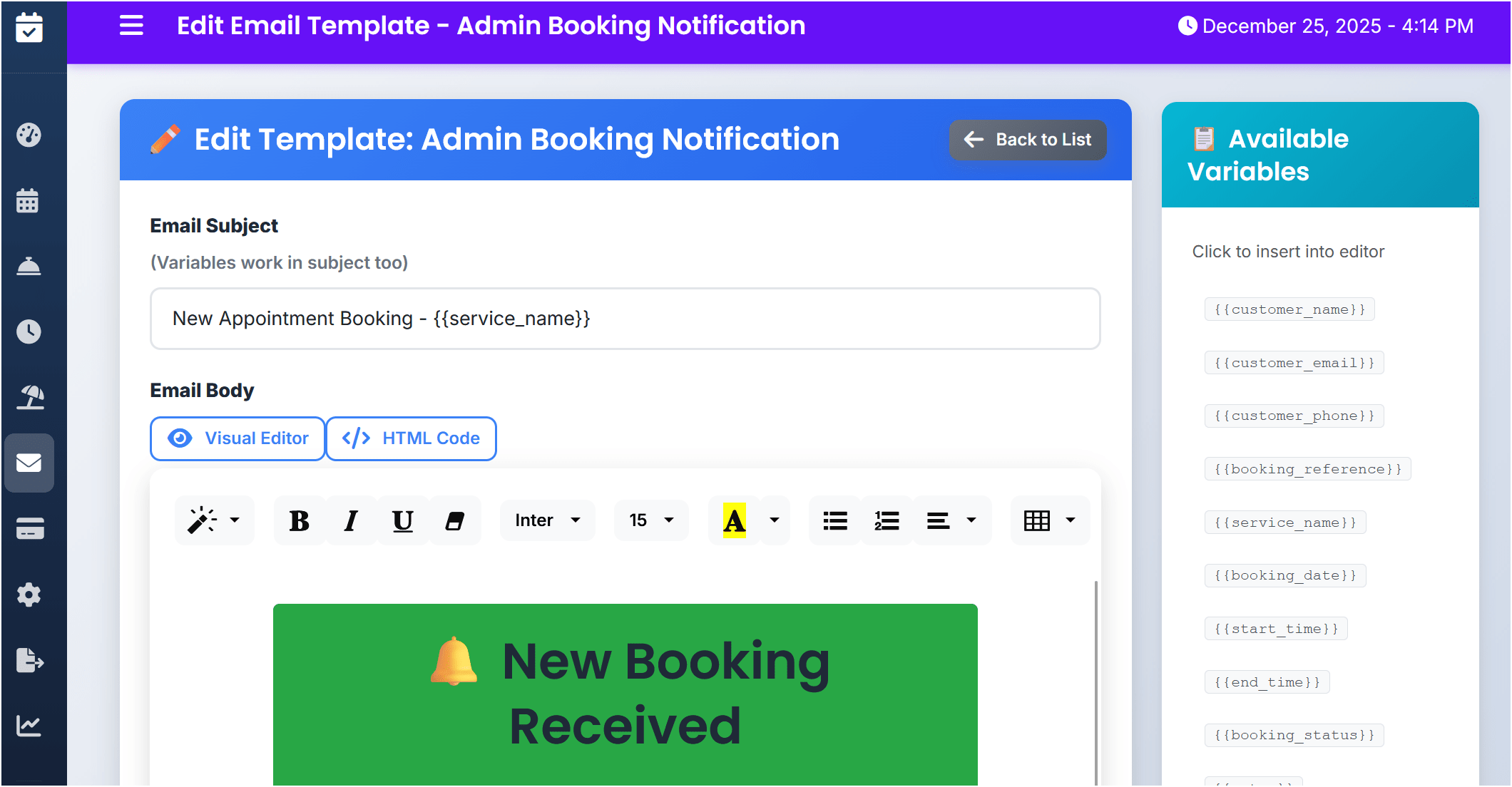
7 of 15 - Email Template Editor
Email template editor with WYSIWYG interface for customizing booking confirmation and notification emails.
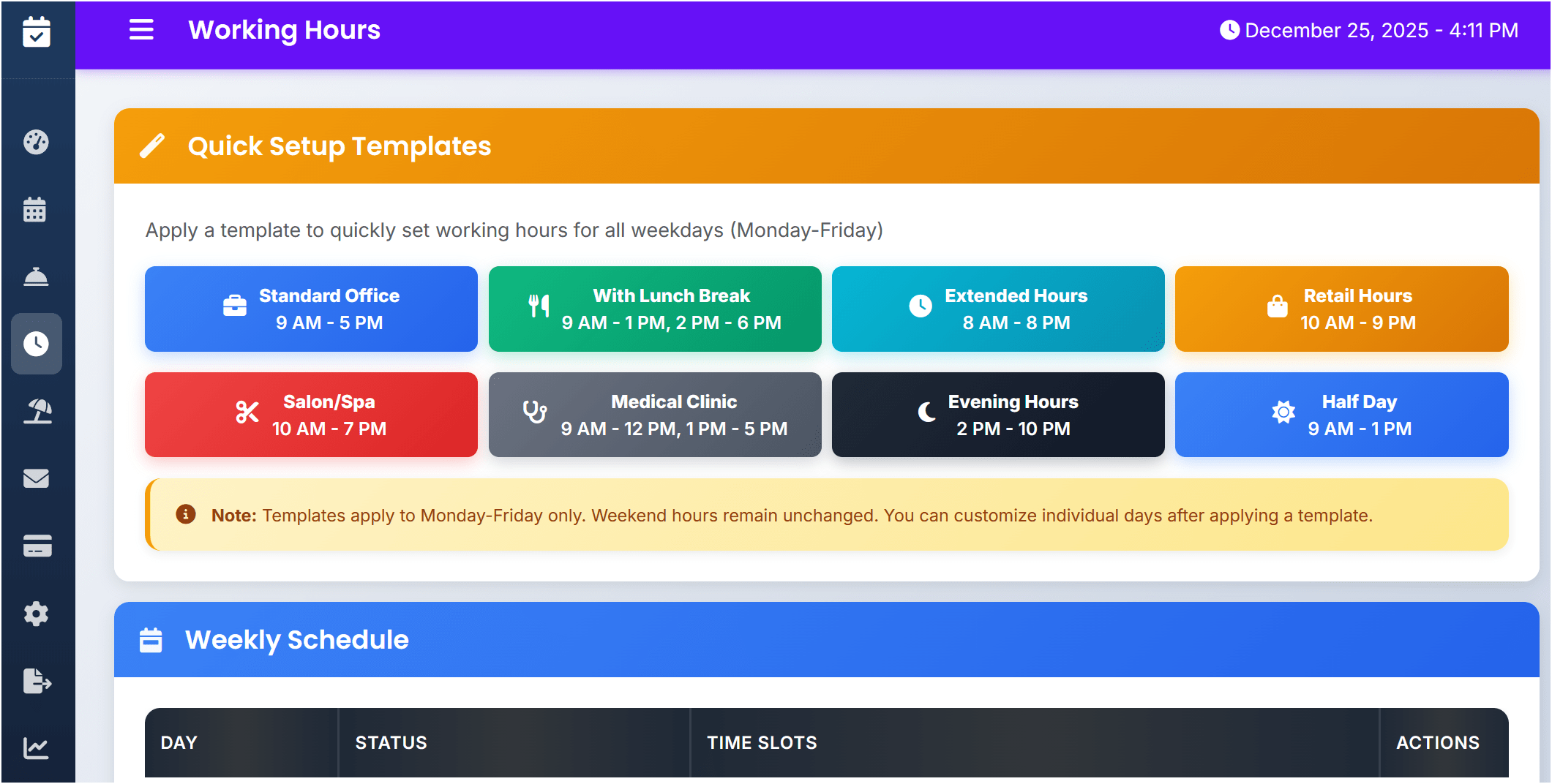
8 of 15 - Working Hours Templates
Pre-built working hours templates for quick setup including business hours, extended hours, and weekend schedules.
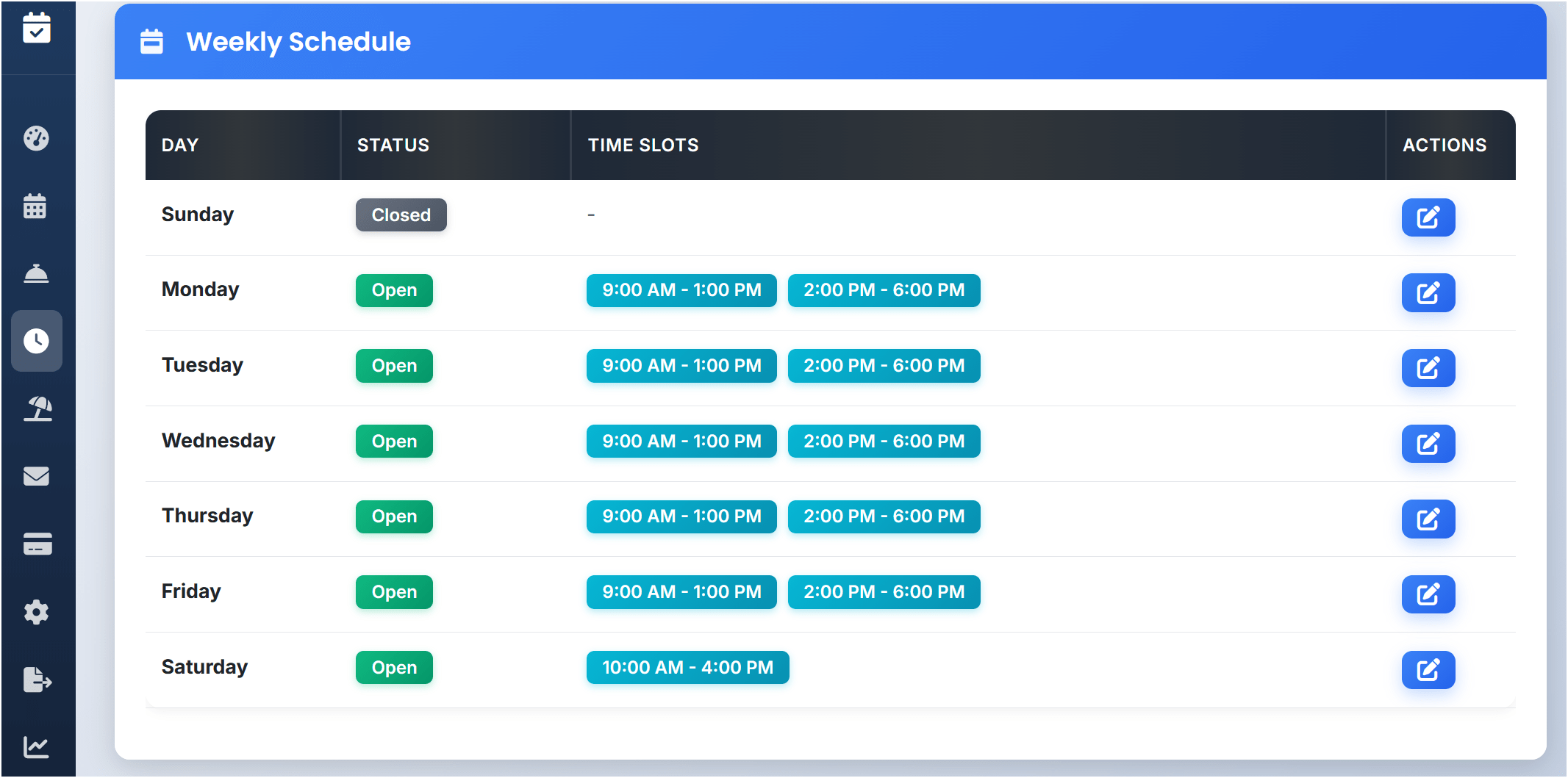
9 of 15 - Weekly Schedule Configuration
Weekly schedule configuration allowing different time slots for each day of the week with multiple shifts support.
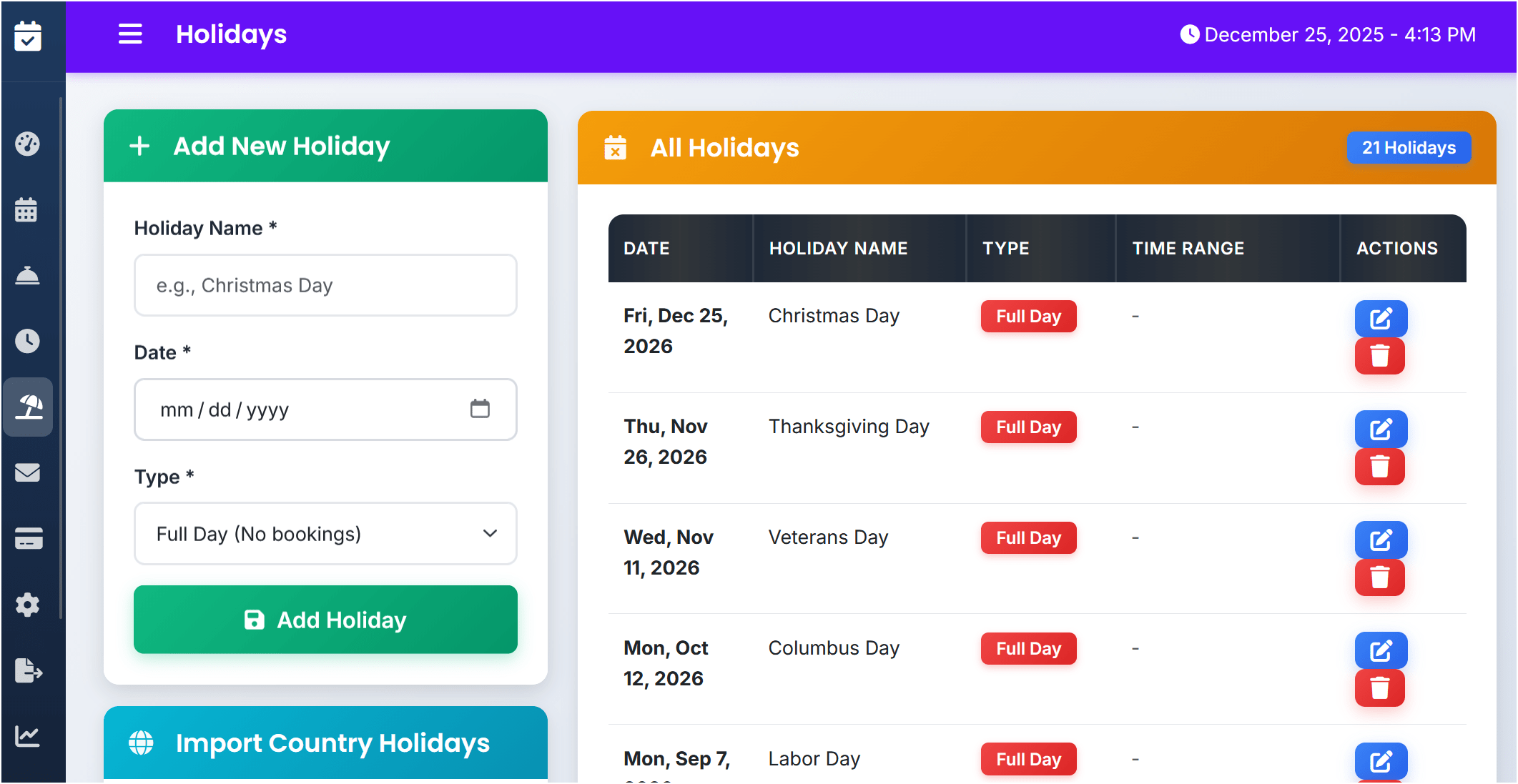
10 of 15 - Holidays Management
Holiday management system for adding full-day or partial-day closures with custom dates and recurring holidays.
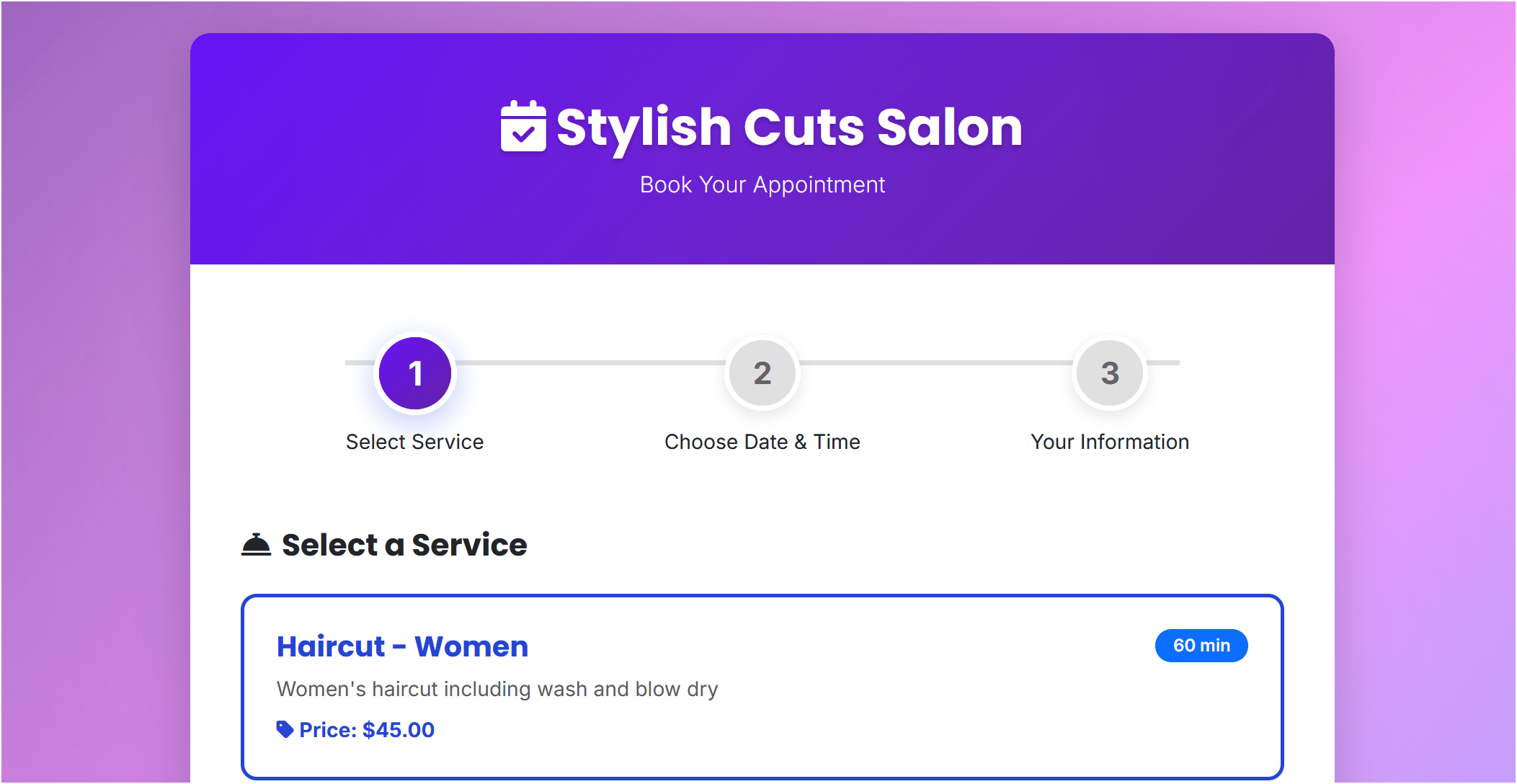
11 of 15 - Customer Booking Page
Customer-facing booking page displaying available services with descriptions, pricing, and duration information.
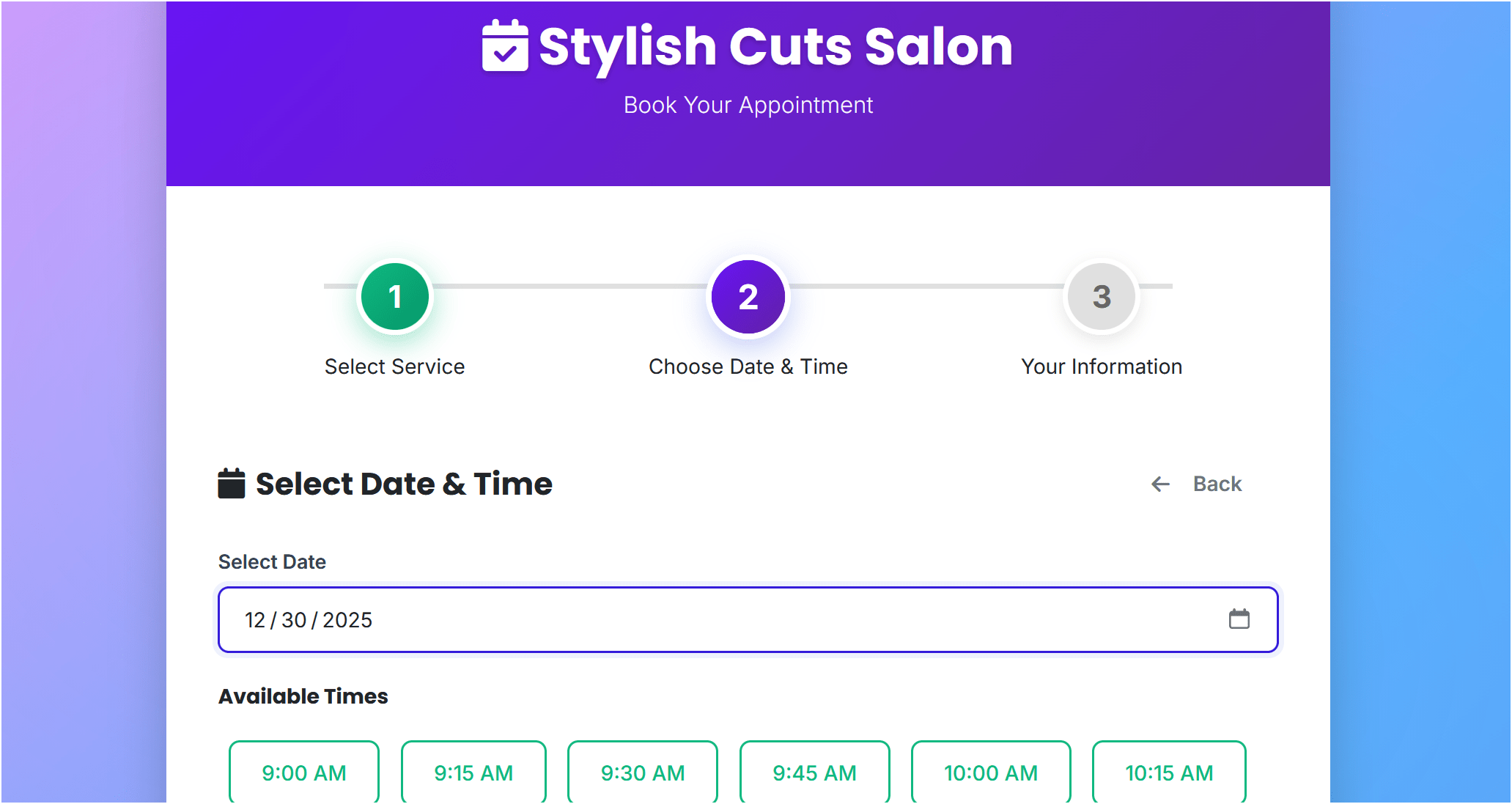
12 of 15 - Time Slot Selection
Time slot selection interface showing calendar view with available appointment times based on working hours and capacity.
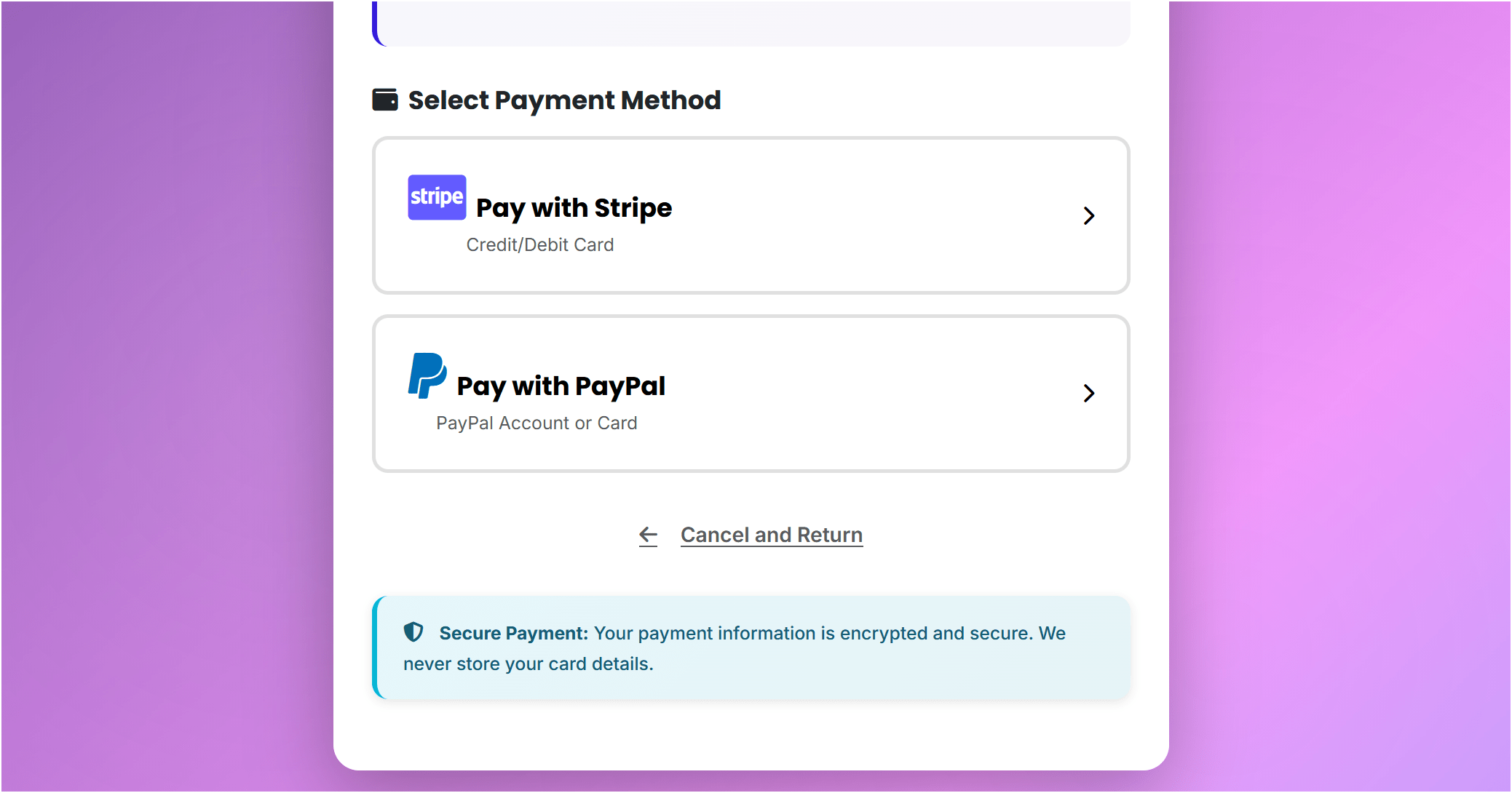
13 of 15 - Payment Options
Payment checkout page with Stripe and PayPal integration for secure online payment processing.
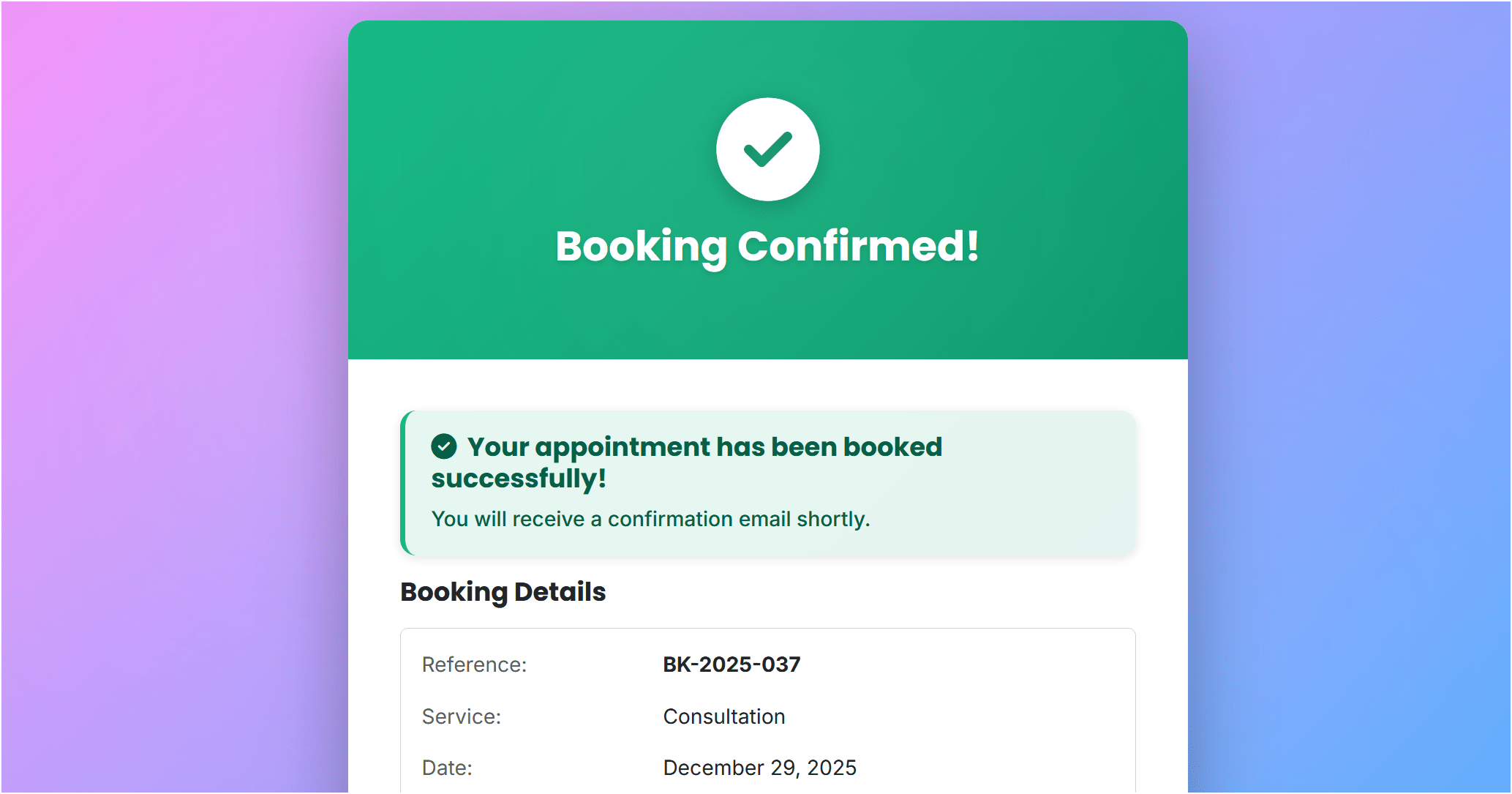
14 of 15 - Booking Confirmation
Booking confirmation page showing appointment details, booking reference, and options to download ticket or add to calendar.
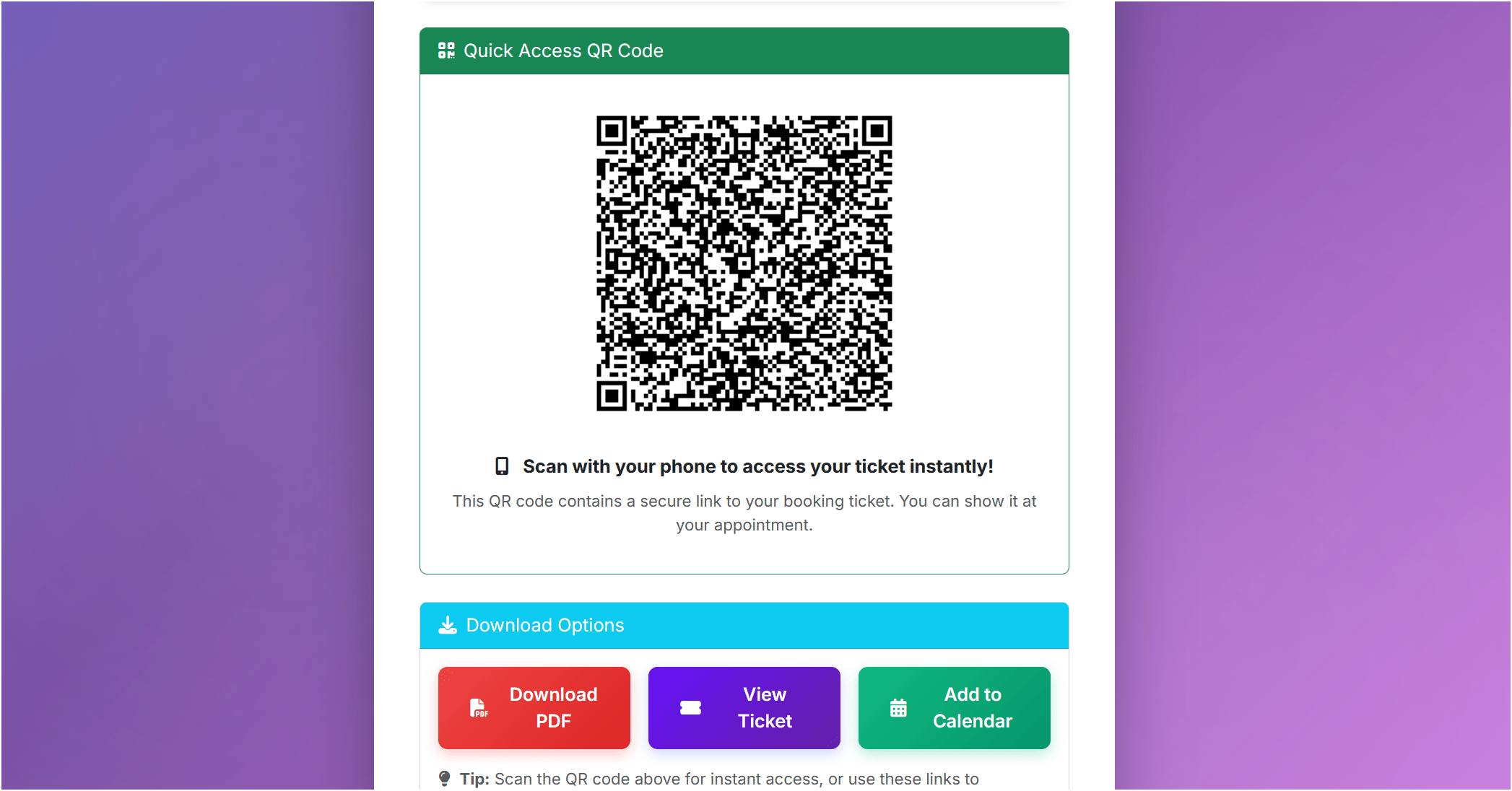
15 of 15 - PDF Booking Ticket
PDF booking ticket with QR code, appointment details, customer information, and business contact details.
Guided Demo Walkthrough
Follow these steps to explore the appointment booking system demo
Start with Customer Demo
Visit the frontend demo to see the customer booking experience. Browse available services and select one to book.
Choose Date and Time
Select an appointment date from the calendar. Available time slots are automatically calculated based on working hours and existing bookings.
Complete Booking Form
Fill in customer details and proceed to payment. Test the Stripe or PayPal sandbox checkout (no real charges). View the booking confirmation page.
Access Admin Panel
Open the admin demo. Login credentials are autofilled - simply click the login button. View the dashboard showing booking statistics.
Explore Admin Features
Navigate through bookings management, analytics reports, service configuration, working hours setup, and email template customization to see all features in action.
Demo Environment & Limitations
Important information about the appointment booking demo
Auto-Reset Every 15 Minutes
Demo data automatically resets to provide a clean testing environment for all users. Any bookings or changes you make will be cleared.
Email Notifications Disabled
Email notifications are turned off in the demo to prevent spam. The actual product supports SMTP with full email automation.
Sandbox Payment Mode
Payments use Stripe and PayPal test/sandbox mode only. No real transactions are processed. Use test card numbers provided on payment page.
Read-Only Actions Protected
Some destructive admin actions are restricted in demo mode for security. Full functionality is available in the purchased version.
Demo Data Included
Pre-populated sample services, bookings, and settings help demonstrate system capabilities. Your purchased copy starts clean.
Shared Demo Environment
Multiple users test the demo simultaneously. Data you see may change as others interact with the system.
Like What You See?
Get your own appointment booking system with full source code and lifetime updates
Demo FAQ
Common questions about trying the appointment booking system demo
Do I need to create an account to test the appointment booking demo?
No. The customer demo requires no login. For admin panel access, credentials are autofilled - just click the login button. No registration or email verification needed.
How often does the appointment scheduler demo reset?
The demo environment automatically resets every 15 minutes to maintain a clean testing state. Any bookings or configuration changes you make will be cleared during reset.
Can I test real payments in the online booking system demo?
Payments are in sandbox/test mode only. Use test card numbers provided on the payment page. No real charges are processed. The purchased version supports live Stripe and PayPal transactions.
What features can I test in the PHP appointment booking demo?
Test the complete booking flow, admin dashboard, analytics reports, service management, working hours setup, holiday configuration, email template editing, and payment checkout. See full list in the "What You Can Test" section above.
Are email notifications sent in the booking system demo?
Email notifications are disabled in the demo to prevent spam. You can preview and edit email templates in the admin panel. The full product supports SMTP configuration with automated booking emails.
How is the demo different from the purchased appointment booking system?
The demo shows all features but resets periodically, disables emails, uses test payment mode, and may restrict some admin actions. The purchased version gives you full control on your own server with no limitations.
Can I use the appointment booking demo for my business?
No, the demo is for evaluation only. It's shared with other users, resets frequently, and has restricted features. Purchase a license to get your own installation with full source code and customization rights.
What happens after I purchase the PHP booking system?
You receive instant download access to full source code, installation instructions, and documentation. Set up on your own server with your domain, payment accounts, and custom branding. No monthly fees or restrictions.